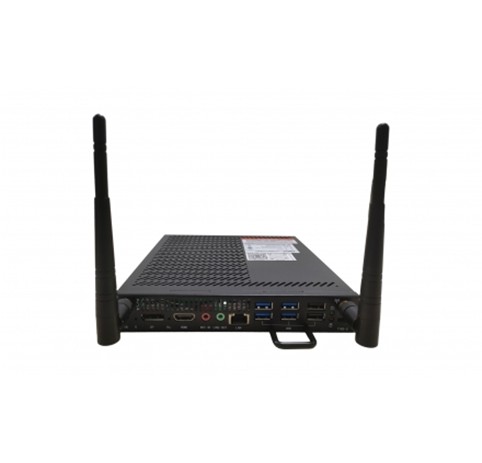
OPS Buying Guide
Choosing OPS equipment starts with the needs of the installation, not simply a model name or a screen size. This guide explains how to compare the products in this range for compatible interactive-display computer-module projects. Use the individual model pages for product-specific information and confirm the final configuration with MFG6 before ordering.

Define the project before comparing models
Begin with the host display and the applications the module must run. Record the exact display model, module slot specification and available physical space. A similar-looking computer module is not proof of mechanical or electrical compatibility. Ask for written confirmation that the selected module fits the host display and supports the required connection and control functions before comparing processor options.
Compare the models in this range
This category contains 2 product pages. The following links help you compare the listed models. Treat each model as a separate configuration: a specification shown for one product should not be assumed to apply to every other product in the series.
- I7 13620H OPS: RAM — 8G (expandable up to 32G); CPU — I7 13620H; System Chipset — Intel®SOC
- I5 13420H OPS: RAM — 8G (expandable up to 32G); CPU — I5 13420H; System Chipset — Intel®SOC
Check the features that affect daily use
Compare the processor, memory, storage and available interfaces using the exact configuration proposed in the quotation. Check the workload with the actual applications, media files and connected peripherals. Confirm the required operating system and whether its licence is included. Where several configurations are available, keep a separate list of the quoted components so that a later substitution can be identified and reviewed.

Confirm the platform, connections and options
Ask how the host display and module handle power-on, shutdown, recovery and software updates. Confirm cooling, service access, network connectivity and the use of cameras, microphones and other peripherals. Discuss how the software image will be prepared and restored if a module is replaced. Keep any passwords, customer files or organisation-specific software out of a general demonstration image.
Plan installation and access
Measure the installation area, delivery route and service space before confirming the order. Check the equipment dimensions and weight, the proposed mounting arrangement and the position of power and signal connections. Identify any doors, lifts, stairs or restricted access that could affect delivery. Ask a qualified installer to review the fixing method and site conditions. Confirm which brackets, stands, cables and other accessories are supplied, and identify any work that must be arranged locally.
Allow practical access for connecting equipment, inspecting cables and replacing a component. Discuss ventilation and the surrounding environment with the supplier. Keep the final installation drawing and the approved configuration with the order documents so that the delivered equipment can be checked against the same requirements.

Prepare a complete quotation request
Send MFG6 the selected model, quantity, destination and intended application. Include the installation environment, connected equipment and any required options. Ask for a written breakdown of the hardware configuration, supplied accessories, packaging, delivery scope, documentation and after-sales arrangements. If a sample or demonstration is needed, agree on the configuration and evaluation tasks in advance. Confirm the quoted lead time and any project-specific requirements before making a purchase decision.
- Identify the exact model and configuration for every item.
- Confirm the mounting accessories, cables and optional equipment.
- Agree on packaging, shipment scope and delivery destination.
- Request the relevant product documents and applicable test records.
- Record the agreed warranty and support process in the quotation.
Check a sample before a larger order
Prepare a simple acceptance checklist based on the intended workflow. Inspect the cabinet, glass or enclosure, supplied accessories and labels. Test the required inputs, controls and supported functions using representative equipment and content. Where several units will be installed together, check consistency between units. Record any issues with photographs and clear test conditions, then agree on the required correction before approving the final configuration for the remaining order.

Questions to resolve before ordering
Which model should I choose? Start with the installation requirements and compare the individual model data. Ask MFG6 to confirm any specification that is missing or unclear rather than using a value from another model.
Are all accessories included? Inclusion depends on the agreed configuration. Confirm the contents of the shipment and list optional accessories separately in the quotation.
Can a different configuration be supplied? Discuss the required change with MFG6 and obtain written confirmation of compatibility, availability and the final specification before ordering.
For help comparing OPS products, contact MFG6 with your model shortlist and project requirements.