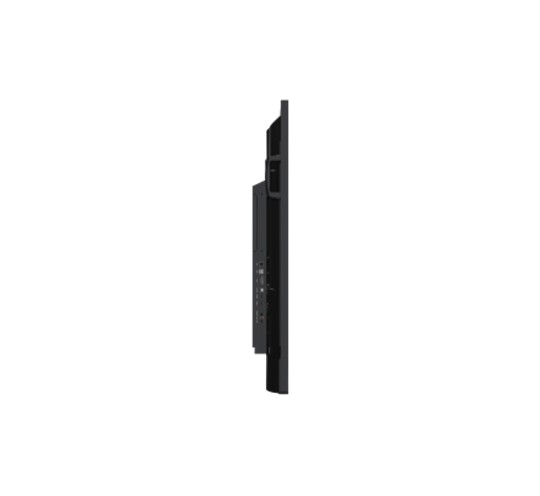
IWB37 V100 Interactive Flat Panel Buying Guide
Choosing an interactive flat panel starts with the room and the people who will use it. A larger display can make shared content easier to see, but screen size alone does not tell you whether a panel suits a classroom, meeting room or training space. Buyers also need to compare touch behaviour, writing comfort, software configuration, connections and installation requirements. This guide explains how to evaluate the IWB37 V100 Full series and turn a general enquiry into a clear model specification.

What Is the IWB37 V100 Full Series?
The IWB37 V100 Full series combines a 4K display with infrared touch and an integrated Android system. The models listed on this page cover 55, 65, 75 and 86-inch screen sizes. The source descriptions identify zero bonding, 4 mm anti-glare tempered glass, wireless screen transmission and high-precision infrared touch as shared features. These panels are intended to let users present material, annotate content and interact directly with a large screen rather than rely only on a separate projector and writing board.
A series name describes a product family, not a guarantee that every configuration is identical. Display brightness, cabinet dimensions, weight, mounting pattern and power requirements vary by model. Memory and storage may also be offered in alternative configurations. Confirm the exact model and supplied configuration in the quotation instead of assuming that a specification from one screen size applies to all four.
1. Match Screen Size to the Room
Start by recording room depth, seating positions and the smallest text that people need to read. A compact room with participants close to the panel may have different needs from a deep classroom or a wide training space. The 55-inch model deserves consideration where space is limited; the 65 and 75-inch options provide intermediate sizes; the 86-inch model offers the largest display area in this listed range. These are starting points for comparison, not fixed room-capacity ratings.
Use a sample slide, spreadsheet or teaching document during evaluation. Check whether people at the back can read its ordinary text without increasing magnification so much that essential context disappears. Also consider who will write on the panel. Mounting a large screen too high can make the upper writing area difficult to reach. Measure the usable wall area and review the complete cabinet dimensions, not only the diagonal screen size.
2. Evaluate 4K Content and Writing Comfort
The listed V100 Full models use 3840 × 2160 resolution. To benefit from that resolution, review the content source and connection path as well as the display. Confirm the output resolution of the laptop or playback device, the cable specification and the settings of the presentation software. A 4K panel cannot restore detail that is missing from a low-resolution source image.
Zero bonding is described as reducing parallax between the writing surface and displayed content. During a demonstration, write near the centre and edges of the panel, view the strokes from normal standing positions and compare pen-tip alignment. Anti-glare glass can help manage reflections, but lighting still matters. Check the proposed installation position against windows, ceiling lights and reflective surfaces. Avoid treating the anti-glare description as a promise of identical visibility under every lighting condition.

3. Test Infrared Touch in Your Actual Workflow
The source specifications list 40-point touch for Android and PC operation on the reviewed V100 Full models. Touch-point count is useful when several people work at the screen, but practical performance also depends on the connected operating system, application and connection method. Ask for a demonstration with the software you intend to use. Confirm whether the requested writing, gesture and collaboration functions work in both the integrated Android environment and the external computer environment.
Test small handwriting, diagonal lines, selection handles and writing close to the bezel. Try the intended stylus or finger input and review how the application distinguishes writing, navigation and erasing. Where an external computer is used, verify the touch return connection as well as the video connection. A visible computer image does not, by itself, confirm that touch input is connected correctly.
4. Specify Android, RAM and Storage Clearly
The reviewed V100 configuration lists Android 14.0, a GK6780V100 platform and an eight-core A55 CPU at 1.5 GHz. Source tables show RAM as 4 GB with an 8 GB option and storage as 32 GB with a 128 GB option. Buyers should therefore write the required memory and storage combination explicitly. Do not interpret an optional higher capacity as the standard included configuration.
List the applications, document types and network services required for the project. Ask the supplier to confirm compatibility, installation method, update policy and any licence requirements. Availability of a particular app store, video-conferencing service or proprietary collaboration feature should be verified separately. Where a Windows environment is required, clarify the external computer or optional OPS arrangement and its own processor, memory, storage and licence specification.
5. Verify Ports and Wireless Screen Sharing
Prepare a connection list for every device that must work with the panel: laptops, computers, audio equipment, network cables and any room-control system. Source specifications include several video, touch, USB and network connections, but the supplied port arrangement must be checked against the exact model. In particular, do not assume that a Type-C connector supports every combination of video, charging, data and touch simply because its physical connector fits a cable.
Wireless screen transmission is a listed series feature. Ask which operating systems and devices are supported, whether a receiver or transmitter is required, how users join a session and whether additional software or licences are needed. Test on the actual room network where possible. Wi-Fi coverage, network isolation and organisational policies can affect the experience even when the display itself operates normally.

6. Plan Mounting, Access and Electrical Supply
Installation planning should be completed before an order is finalised. Check wall construction, mounting pattern, bracket compatibility, cable access and the load capacity of the proposed support. A mobile stand must be suitable for the exact panel size and weight. Compare packaged dimensions with lifts, stairways, door openings and the route to the installation room. Larger models may require different handling equipment and more installation clearance.
The reviewed source tables list different VESA patterns for the 55, 65 and 75-inch versions, illustrating why mounting information should be checked model by model. Confirm the relevant pattern and screw specification for the selected unit. Verify electrical input requirements, plug type, circuit provision and the location of the power socket. An installation plan should also allow safe servicing and access to the connection panel.
7. Compare Quotations on the Same Basis
A useful quotation identifies the complete model, screen size, Android configuration, memory, storage, accessories, mounting solution and any additional computer module. Ask whether styluses, wall mounts, remote controls, cables and wireless-sharing accessories are included. Check packing method, shipment terms, lead time and destination requirements. These items can change the delivered project cost even when the panel price looks similar.
Confirm warranty coverage, the process for reporting a fault, availability of replacement parts and the support arrangements that apply in the destination market. Request any compliance documents required for your installation and verify that they cover the actual supplied model. Certification, service life and support commitments should be supported by documentation rather than inferred from a series brochure or an unrelated model.
Pre-Order Checklist
- Record the room layout, viewing distance and preferred screen size.
- Confirm the exact V100 Full model, RAM, storage and software requirements.
- Test the intended video source, touch return connection and wireless-sharing workflow.
- Verify cabinet dimensions, weight, mounting pattern and installation access.
- List included accessories, optional modules and any software licences.
- Agree packing, delivery terms, warranty scope and required documentation.

Which Model Should You Enquire About?
Compare the IWB5537-V100 Full, IWB6537-V100 Full, IWB7537-V100 Full and IWB8637-V100 Full according to room size, readability and installation constraints. Use the model-specific technical data to check differences instead of selecting only by diagonal size. The best starting enquiry includes the screen size, quantity, destination, room application, required connections and preferred memory and storage configuration.
Contact MFG6 with your project requirements to discuss the listed IWB37 V100 models and request confirmation of the final supplied specification. A clear, agreed configuration makes it easier to compare offers, arrange installation and avoid assumptions about optional features.